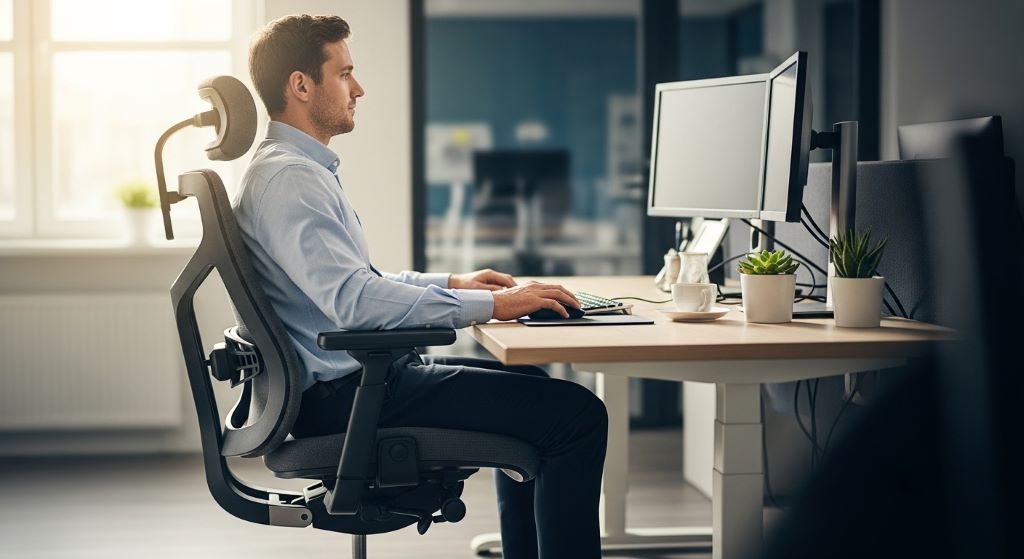
Every year, thousands of workers suffer from pain, strain, and long-term disability. Many of these cases start with something simple — a chair that does not fit, a desk set at the wrong height, or a posture that goes unchecked for hours. The good news is that most of these problems are preventable. Choosing the right seating solution can make a real difference in how people feel at work and how safely they do their jobs.
This article explores how proper seating supports occupational health, reduces injury risk, and helps create a safer environment for everyone.
Contents
Why Seating Matters More Than Most People Think
Most workers spend between six and nine hours sitting each day. That is a long time for the body to stay in one position. When the chair is not supportive, the spine curves in the wrong direction. Muscles in the neck, shoulders, and lower back have to work harder than they should. Over time, this leads to pain, fatigue, and injury.
Poor seating is one of the most common — yet most overlooked — causes of workplace strain. However, when employers take seating seriously, workers feel better, perform better, and miss fewer days due to injury or discomfort.
Common Injuries Linked to Poor Seating
Before looking at solutions, it helps to understand the types of injuries that bad seating causes. These include:
- Lower back pain from unsupported lumbar curves
- Neck and shoulder tension from chairs that are too low or too high
- Carpal tunnel syndrome from awkward wrist positioning
- Hip pain from seats that are too hard or too shallow
- Poor circulation in the legs from seats that press against the thighs
Additionally, repetitive strain injuries develop slowly. Workers often do not connect their daily discomfort to their chair until the pain becomes serious. This is why early action and good seating choices are so important.
Key Features of an Ergonomic Chair
Not all chairs are equal. A truly supportive chair has several specific features. Here is what to look for:
Lumbar support. The lower back has a natural inward curve. A chair should support this curve, not flatten it. Proper lumbar support keeps the spine in a healthy position throughout the day.
Adjustable seat height. Feet should rest flat on the floor with knees at roughly a 90-degree angle. Therefore, the seat must be height-adjustable to fit different body types.
Seat depth and width. There should be about two to four inches of space between the back of the knees and the edge of the seat. This prevents pressure on the back of the legs and supports circulation.
Armrests. Armrests reduce strain on the shoulders and neck. They should be adjustable so the arms can rest comfortably without raising or dropping the shoulders.
Backrest tilt. A slightly reclined backrest reduces pressure on the lower spine. Some chairs allow the tilt angle to be locked, which is a useful feature for long work sessions.
Seat padding. A well-padded seat with breathable material helps prevent discomfort during extended sitting periods.
Setting Up a Safe Workspace Around the Chair
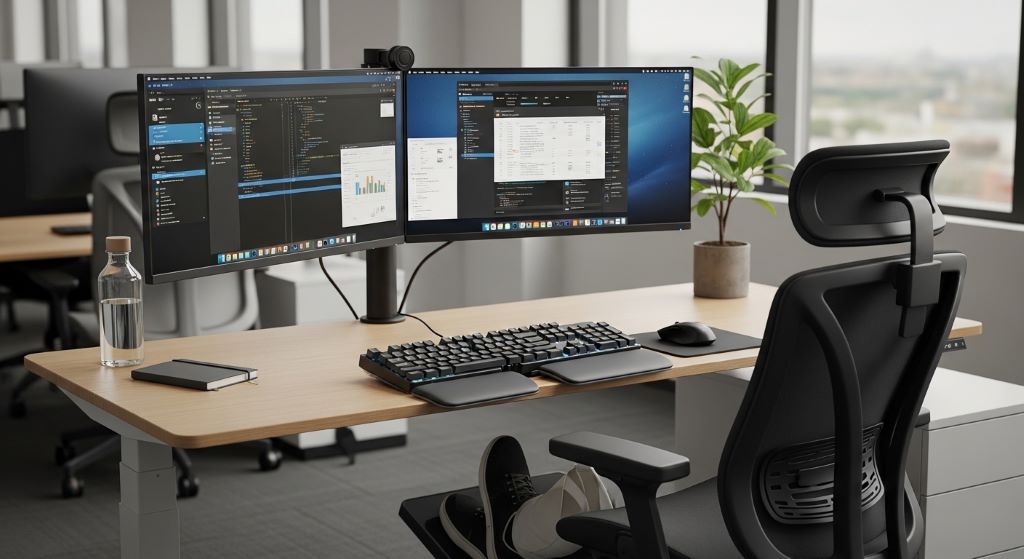
A good chair alone is not enough. The entire workstation must be set up with the user in mind. A safe workspace means that the chair, desk, monitor, and keyboard all work together to support a natural posture.
Here are some practical injury prevention tips for setting up a workstation:
- Place the monitor at eye level, about an arm’s length away
- Keep the keyboard close enough so the elbows bend at about 90 degrees
- Use a footrest if feet do not reach the floor comfortably
- Position the mouse beside the keyboard to avoid reaching
- Keep frequently used items within easy reach to limit twisting
Furthermore, clutter under the desk can force a worker to sit in awkward positions. Keeping the area clear allows the legs to rest comfortably and encourages better posture overall.
The Role of Movement and Breaks
Even the best chair becomes a problem if a person sits in it without moving for hours. The human body is designed to move. Staying still for too long reduces blood flow, stiffens muscles, and puts sustained pressure on the spine.
Therefore, workers should take short breaks every 30 to 60 minutes. Standing up, stretching, or walking for even two to three minutes can significantly reduce the risk of strain. Some offices use sit-stand desks to encourage movement throughout the day. These desks allow workers to alternate between sitting and standing, which distributes physical load more evenly.
Simple desk stretches — such as shoulder rolls, neck tilts, and gentle back twists — are also effective. However, these stretches work best when done consistently, not just when pain sets in.
Seating Solutions for Specific Work Environments
Different jobs call for different seating approaches. A one-size-fits-all chair is rarely the best solution. Here is how seating needs vary by work setting:
Office workers who use a computer all day benefit most from fully adjustable ergonomic chairs with lumbar support and armrests. They sit for long periods and need maximum postural support.
Factory and assembly workers often need saddle stools or anti-fatigue seating. These allow them to lean semi-upright while working, which reduces lower back pressure during repetitive tasks.
Healthcare workers who move frequently between sitting and standing benefit from mobile stools with height adjustability. These allow quick transitions without losing support.
Creative professionals, such as designers and architects who may lean forward often, benefit from chairs with forward-tilt capabilities. This position opens the hip angle and reduces spinal compression.
How Employers Can Support Better Seating Practices
Providing good chairs is a start, but employers can do more to support a culture of physical safety. Here are some steps that make a lasting difference:
- Conduct ergonomic assessments for each workstation
- Offer training on how to adjust and use ergonomic chairs correctly
- Encourage workers to report discomfort early, before it becomes an injury
- Review seating needs when job roles or workstations change
- Make adjustable equipment available for workers of different body types
Additionally, involving workers in the selection process helps. Employees who have input into their seating choices are more likely to use the equipment correctly and report problems promptly.
Understanding the Cost of Inaction
Some employers hesitate to invest in better seating because of cost. However, the cost of not acting is often higher. Musculoskeletal injuries are among the most expensive workplace claims. They lead to lost productivity, long-term medical treatment, and sometimes permanent disability.
A good ergonomic chair typically costs between $300 and $800. Compare this to the average cost of a back injury claim, which can reach tens of thousands of dollars when medical treatment, lost wages, and reduced productivity are considered. The return on investment for proper seating is clear.
Conclusion
Reducing workplace injuries starts with understanding how the body works during long periods of sitting. Poor seating puts quiet, consistent stress on muscles and joints. Over time, that stress adds up and causes real harm.
Proper seating solutions — combined with smart workstation setup, regular movement, and employer support — can dramatically lower injury risk. Choosing chairs with adjustable lumbar support, correct seat height, and proper armrests is a practical first step. Supporting a safe workspace around that chair makes the approach even stronger.
Employers who invest in ergonomic seating invest in their people. The result is fewer injuries, less time off, and a more productive, engaged workforce. Occupational health does not have to be complicated. Sometimes, it starts with something as simple as the right chair.
Frequently Asked Questions
How do I know if my work chair is causing my back pain?
Signs include lower back stiffness after sitting for an hour or more, pain that improves when you stand or walk, or discomfort that is worse at the end of the workday. If you notice these patterns, your chair may not be giving your spine the support it needs.
What is the most important feature to look for in an ergonomic chair?
Lumbar support is arguably the most critical feature. It keeps the lower spine in a healthy curve and prevents the slumping posture that causes most work-related back pain. However, adjustability is equally important, since a chair must fit your specific body to be effective.
Can standing desks replace ergonomic chairs?
Not entirely. Standing desks are a valuable addition to a workstation, but standing for too long also causes fatigue and strain. The ideal setup combines a good ergonomic chair with a height-adjustable desk, so workers can alternate between sitting and standing throughout the day.
How often should workstation ergonomics be reviewed?
Ergonomic setups should be reviewed at least once a year, or whenever a worker changes roles, moves to a new workstation, or reports discomfort. Body changes over time, and what worked well two years ago may no longer be the right fit.
Are ergonomic chairs worth the cost for small businesses?
Yes. Even for small teams, investing in proper seating reduces the risk of musculoskeletal injuries, which are costly in terms of medical claims, lost time, and reduced morale. Many affordable ergonomic options are available that offer excellent support without a large price tag.
Related Topics:
Ready to Ditch the Gym? Your Beginner’s Guide to Crushing Home Workouts!
Sasangasana – The Rabbit Pose in Yoga